Nex Code
Write, navigate and debug code with files, terminal, diagnostics, search, symbols and local or remote workspaces.
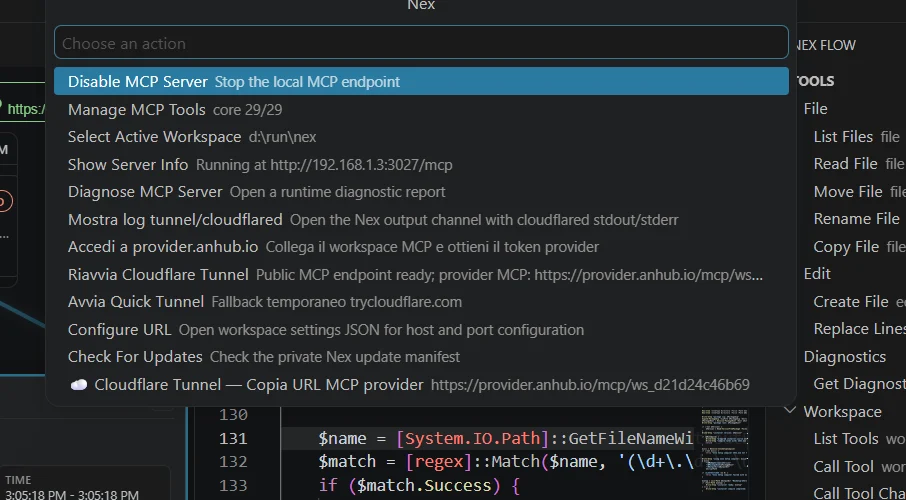
 Nex
Nex
Nex connects editor, terminal, MCP tools, secure tunnels and local or remote workspaces in one controlled desktop environment where every agent action can be inspected, replayed or rolled back.
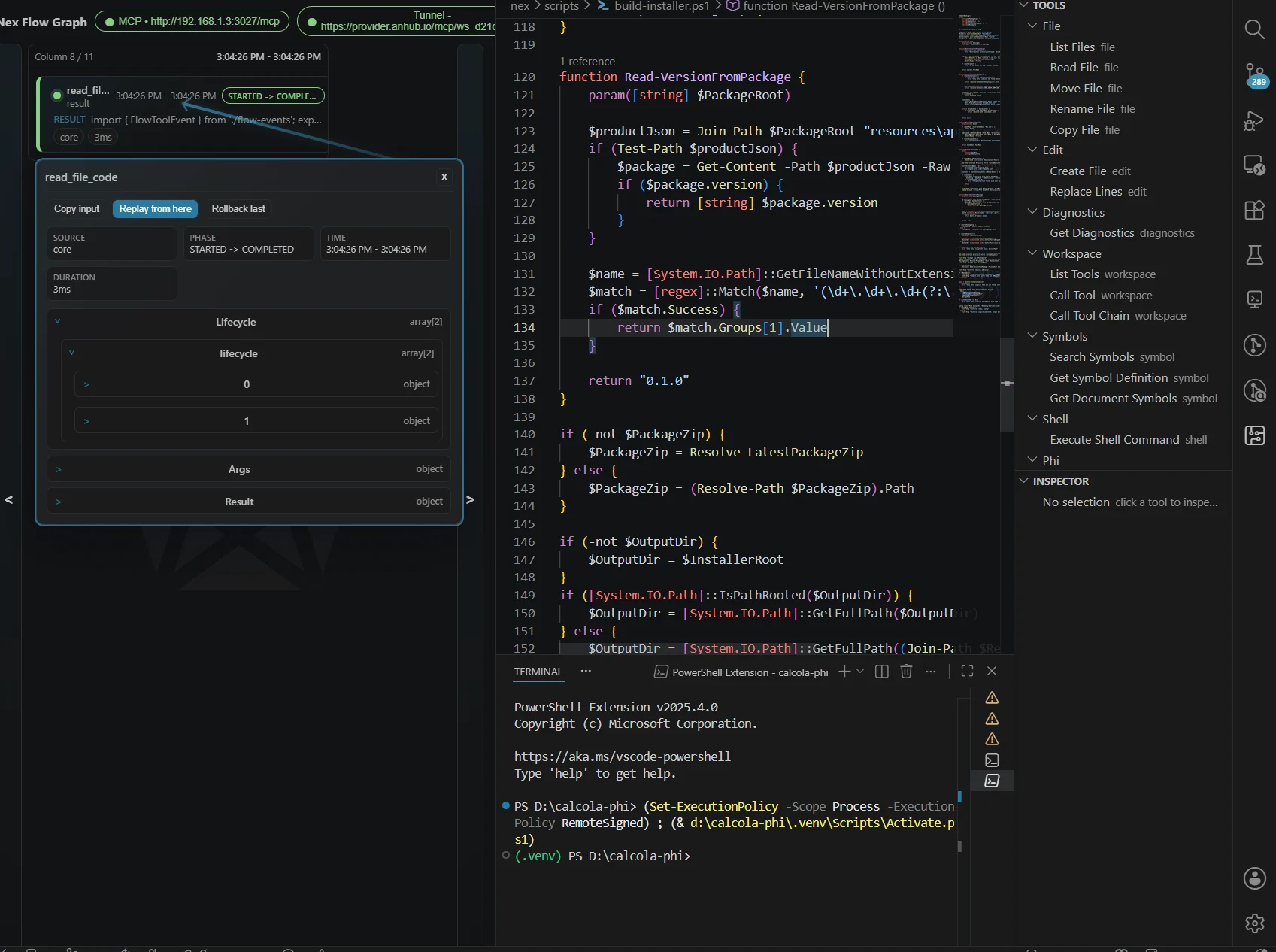
{ "result": "package.json" }function ReadVersionFromPackage() {
const product = readJson('product.json')
return product.version
}Not an AI plugin
Nex does not give agents unrestricted access. It turns your real workspace into an operating surface with explicit capabilities: files, shell, diagnostics, symbols, tool chains, remote sessions and secure provider endpoints.
Two modes. One workspace.
Move between a familiar VSCodium-based editor and a visual layer for tools, sessions, MCP calls, automation blocks and execution state.
Write, navigate and debug code with files, terminal, diagnostics, search, symbols and local or remote workspaces.
Inspect tools, runs, inputs, outputs, lifecycle events, sessions and replayable execution chains.
Replayable execution
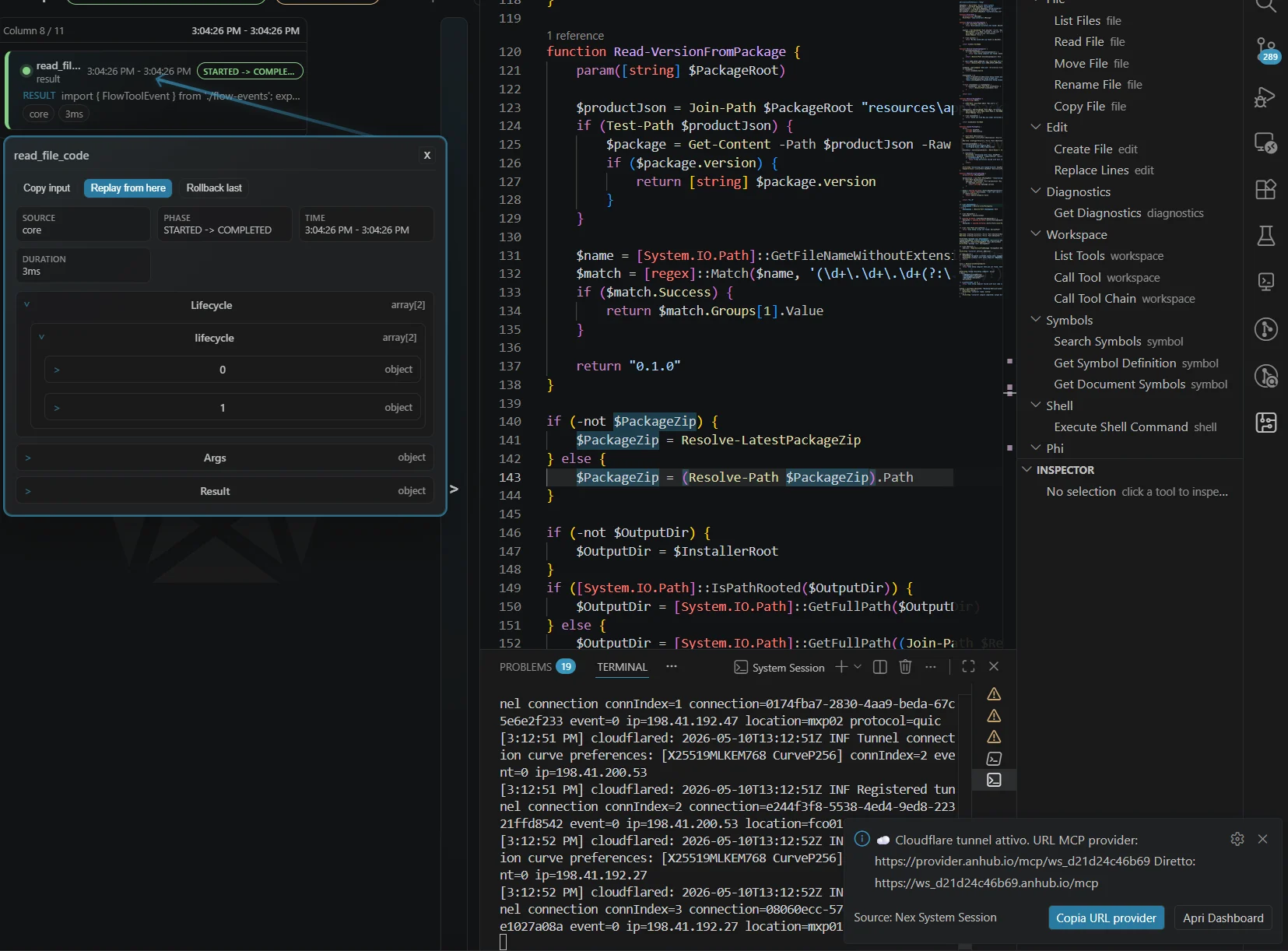
Every tool call becomes a structured run. Select a step, inspect JSON input and output, change the input, replay the chain from that point or rollback to the previous state.
Controlled capabilities
Choose exactly which capabilities stay enabled: read files, edit files, execute shell commands, inspect diagnostics, search symbols and chain tools.
MCP + Anhub Provider
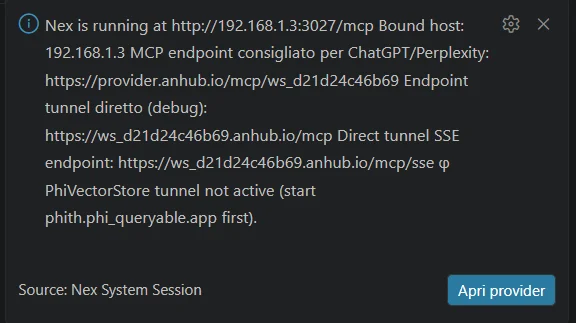
Start a local MCP endpoint, publish it through Anhub Provider and use a secure tunnel when needed. Your runtime stays local; agents connect through explicit provider URLs and enabled tools.
Built for real projects
A runtime layer that connects workspace, terminal, file tools, diagnostics, symbol search and MCP exposure.
Work on local folders or SSH-backed targets through the same session and tool model.
Publish a temporary endpoint for external agents while keeping the runtime controlled by the desktop user.
Add workspace-local MCP powerups and project-specific scripts that agents can call explicitly.
Architecture
Nex stays near upstream VSCodium, adding a focused patch-set and a first-party System Session extension for Flow, MCP and remote capabilities.
Local-first agentic development
Download Nex, open a project, start a System Session and connect your first MCP client through explicit tools.